
String Note Tutor and String Position Pro
Gimmick-free apps that support teaching and home practice for Violin, Viola, Cello, and Double Bass.
“Is there an app for that?” was the question I so frequently encountered from parents when discussing fingerboard mapping and note reading. In other words, they recognised the need for daily reinforcement of what had been covered in the lesson, but felt they lacked the expertise (or time!) to reliably help their children. I would have to answer “unfortunately not”, and would instead recommend apps for note recognition, piano lessons in addition to string lessons, as well as making physical flashcards.
Bit by bit, I imagined what my ideal app would look like: something easy to use and fun, which would provide immediate feedback, with applications both in lessons and as a homework or holiday task. It needed to be completely child safe, and therefore to work completely offline, with no advertising, data collection or subscriptions. I spent some time learning about coding and within a few weeks had come up with the first version of String Note Tutor. At that stage, it was exclusively a flashcard app for note recognition in first position, where students would input the note name, finger number, and string.
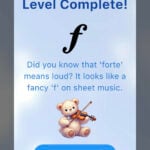 These flashcard levels remain a core component of both apps, in addition to the many features that have been added since (String Position Pro ventures into other positions and is designed for an older audience). In String Note Tutor, most flashcard levels introduce something new, and there are revision levels dotted throughout. In these revision levels, a simple algorithm keeps track of incorrect answers for that session to display them more frequently. Progression through levels is based on consecutive correct answers, to ensure that the content is thoroughly known before moving on. However, access to all levels is unrestricted, so it’s straightforward for students to select the most relevant level for their stage of learning. A high-quality recording of the note is played for each correct answer, and a humorous sound plays, along with clear feedback, when an error is made. At the end of each level, a unique teddy bear appears with a level-appropriate ‘fun fact’ about music or string playing.
I’d initially envisioned both apps primarily as homework tasks for students, but increasingly found that they had utility within lessons as well. As I received feedback from students, parents and other teachers, I was able add features and expand both apps into practice toolkits and teaching tools. A full list of features is given at the end of this post, and a few examples of how the apps can be used in lessons follows.
The interactive fingerboard charts in both apps can be particularly helpful in lessons. Some beginning students struggle to conceptualise where notes are on the fingerboard, or may struggle to process this information while also focusing on bow hold, posture, tone, and everything else! The fingerboard charts allow students to focus on one part of the process at a time. Because the music note is displayed above the chart when they have selected it, students can easily cross reference with their sheet music to self-correct. Also, because tapping the relevant note plays a high-quality recording of that note, students are given a good model of tone and pitch, and will often recognise when they’ve selected the wrong note if they’re familiar with the melody of their piece.
I’ve found that mapping out a piece, or section of a piece, can be a life saver in lessons, particularly for students who are easily overwhelmed or less than enthusiastic on a particular day, as it provides an achievable goal and a different focus. When returning to the instrument, students are often surprised at how easily they can play the section they’ve mapped out, and this can be a great confidence boost for them.
String Position Pro’s fingerboard charts cover half to fourth position, and can be particularly useful for helping students to visualise the location of guide notes in shifting, as well as giving them a quick reference so they can hear the notes they are transitioning between.
The Rhythm Builder in String Note Tutor can be a great alternative or additional teaching approach to pointing at notes on sheet music.